Showing posts with label Family Photos. Show all posts

Thursday, March 4, 2010

Cabrillo National Monument, San Diego

. Thursday, March 4, 2010
1 comments

Gosh, I haven't posted any photos for such a long time but I have been taking photos. I've been indecisive on what to do with this blog. My focus initially was to post photos I've taken and really not much else but I've decided that in order for me to want to post regularly on this blog, I have to add to it a bit more.

I'm still debating on what I'll be adding to this blog. The focus will still be of photos I've taken but maybe elaborate more on the story behind the photos. I'd like to talk about my life living in California. For those who don't know me, I'm originally from Hawaii and moved to California 5 years ago. There's so many things that I need to do and see here California. . .it's such a big state compared to Hawaii. I think if I have a purpose or mission, such as taking photos of my town and other surrounding areas, I'll be more motivated to post on this blog. We'll see how things will progress.

In the mean time, a weeks ago, my daughter and I decided to drive up the coast of San Diego and visit the Old Point Loma Lighthouse located at the Cabrillo National Monument. My purpose of going there was to take photos of the ocean, the park, lighthouse as well as the sunset. Unfortunately, I arrived there too early in the afternoon to be able to wait for the sun to set. We decided to sit at the edge of a small cliff overlooking the ocean. It was beautiful. I did take more photos than what is posted here but I'll post them on another day.


Dream


Happiness


Serenity


Peace


Beauty


Mystery

Klik disini untuk melanjutkan »»

Friday, July 17, 2009

Expressions

. Friday, July 17, 2009
2 comments

Just a few photos I took of my daughter making different expressions.

Shaka!

Happy


Devilish


Peace


Serious

Cheeeeeeese


Rrrrr


Okay


Profile

Klik disini untuk melanjutkan »»

Wednesday, July 15, 2009

28-105mm Lens AV Mode

. Wednesday, July 15, 2009
3 comments

I took these photos with a 28-105mm lens. Even at close proximity, the photos turned out quite clear and picked up the skin tones very nicely. I set the camera on AV mode with a low f-stop


Klik disini untuk melanjutkan »»

Monday, March 23, 2009

Just Photos I've Taken in the Last Week

. Monday, March 23, 2009
1 comments

This is a photo of my dog Dakota. He is a crazy nutty dog that will jump up and down for his treats. Because he's really greedy, he'll continue to jump this way just so his brother Phoenix can't get at the treat. I took this photo on auto - action mode. I took the following 2 other photos of Dakota in burst of shots so I could take photos of him jumping for his treat. He's really talented in that sense.


Fly Dakota fly!


This is a photo of Phoenix in auto - action mode. He was running back and forth and again, I took a burst of shots with him running. With this shot he was running - mid air. I love how it turned out!


Just a random shot of my husband and daughter sitting in the backyard playing game boy. LOL! Just their routine stuff they do every afternoon while the dogs play in the yard.


Not exactly the best scenery shot but I took this photo while I was at the top of a hill at a subdivision in my town. I live in Temecula. ..a city of a population of approximately 200,000 combined with a adjacent town called Murrieta. Temecula is primarily a suburban town mixed with ranches. Temecula is north of San Diego, just bordering the county line.


Here's another shot taken of Temecula, again taken at the top of Morgan Hill, a housing subdivision in town. I took the photo with a 70 - 300mm lens at full zoom


Just a photo of my daughter taken right after she got her hair done (hair cut and highlighted). Just a random shot.


Klik disini untuk melanjutkan »»

Sunday, March 15, 2009

Photos of the Day 03-14-09

. Sunday, March 15, 2009
1 comments


I love this photo. . .it's the bud of a plant (the ones that look like grass). I shot it with 58mm macro lens and when I uploaded the photo. . it looked like a bug walking on a tight wire. LOL!


This is another macro shot of the plant. I like this macro shot. It shows the pretty details of the plant down to the fuzzy top.


This is another type of plant. . .again taken in macro.


My assignment was to take photos and show movement. . .sort of blurred and in slow shutter speed but I didn't do very well. I had forgotten how to set in slow shutter speed but it still shows some movement. It shows some parts blurred and others sharp so I'm satisfied with this photo. What do you think? Can you tell that the wind was blowing?


This is just a group shot at my daughter's Key Club bake sale at a bicycling racing event, an invent sponsored by the community


I really like this photo. . the picture is of a medic car for the bicyclist. Can you see the Key club in the background through the window?


This photo was taken in slow shutter speed (I think) but I accomplished what I had set out to do. I wanted to show movement by having the bicyclist blurred and the rest of the image sharp. I just wish that the image of the bicyclist weren't so blurred and there were some form to their image. They were racing right in from of me. . .they were actually moving really fast.


Here are the bicyclist taken as they rode in front of me. In this photo, again they were riding in fast speed but this was taken as a regular photo.

Klik disini untuk melanjutkan »»

Sunday, February 15, 2009

Desaturated Photo

. Sunday, February 15, 2009
1 comments

Just playing around with more photos. With this photo, all I did was desaturate the photo. Here's is a quick tutorial:

Click on "Layer" at the menu
Click on "New Adjust Layer"
Click on "Hue/Saturation"
Click on the saturation bar and moved it to the left to reduce the amount of color to the photo.


I reduced the color but not all of it. As you can see the shirt still has some blue color to it and the background is slightly green.


Klik disini untuk melanjutkan »»

Saturday, February 14, 2009

Portrait Shots

. Saturday, February 14, 2009
2 comments

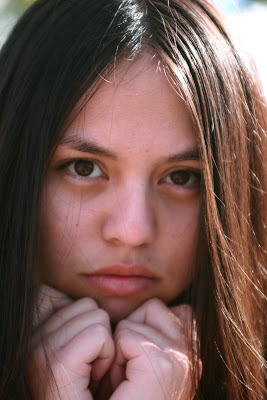
My daughter and I went to the park earlier today and I took a few photos of her. Just playing around with my camera. I used a 28 - 70mm lense for these pictures. No major photoshop was done on these photos except to desaturate or lighten/darken pictures that I thought were a bit too light or dark. I took all of the photos in auto focus and portrait setting. My daughter don't wear make-up but she still looks so pretty!! Still trying to learn more about my Canon Rebel features.

I think I'm going to play with Photoshop and edit a few of these photos. I'll repost a few of them with a before and after photos in a future posting.


I took this photo with the "portrait" setting but although it suppose to be for headshot photos, I don't like the faded look to it. This setting suppose to result in a better skin tone color. I think it looks faded and the colors are not very vibrant. I think I'll play with Photoshop with this image!


I think I'm going to edit this photo. It's a bit fuzzy looking. The photo was taken exactly as it looks. I didn't crop it but I don't like how the color turned out!

Klik disini untuk melanjutkan »»

Monday, June 2, 2008

Photoshop Tutorial - Stitching Photos Together Using Photo Merge

. Monday, June 2, 2008
0 comments


Hi Everyone! Today I was looking for a tutorial on how to merge or "stitch" photos together but I actually wanted to do something more advanced. I wanted to actually "blend" the photos together. As I was looking for the tutorial, I found a "basic" tutorial on how to stitch photos together so it'll be one single piece or single photo. My daughter had given me photos from her camera so I could create scrapbook layouts with them and I wanted to create a layout with 3 photos side by side without having to print them and cut them individually.

Well. . .this basic Photoshop tutorial uses the "automerge" feature to stitch photos together!! I love it because it's so dang simple.

Klik disini untuk melanjutkan »»